


To calculate your take-home pay after taxes, we first need to get from your assignment rate to your gross pay for payroll. From there, it is a process of deducting all the necessary employment costs and taxes. This means subtracting things like Employer's National Insurance, the Apprenticeship Levy, Income Tax, your own National Insurance, and any other items like pension contributions.
Deconstructing Your Contractor Pay Rate
Before you can work out your final net pay, you must understand what your agreed assignment rate actually covers. When you are a contractor with an umbrella company, your daily or hourly rate is not the same as a gross salary. It is the full amount the recruitment agency pays to us, UmbrellaCompany.com, for the work you do.
Think of that initial figure as a pot of money that has to cover more than just your wages. It also needs to handle all the statutory costs of employment that any employer is legally required to pay.
It is a bit like this: a permanent employee gets their salary, and their employer pays additional costs on top of that. For a contractor, those same costs are already factored into the assignment rate from the start.
Understanding Employment Costs
The very first deductions that come off your assignment rate are not taxes on your personal income. They are the costs associated with being employed. This is a very important point and often confuses contractors who are new to this way of working.
These costs are mainly:
- Employer's National Insurance Contributions (NICs): This is a mandatory tax that employers have to pay on their employees' earnings once they go over a certain threshold.
- The Apprenticeship Levy: This is a levy on UK employers with a pay bill of over £3 million a year, which helps to fund new apprenticeships.
Only after these employment costs have been taken out do we arrive at your gross taxable pay. This is the number we then use to calculate your personal Income Tax and Employee's National Insurance.
The key takeaway here is that the money deducted for employment costs was never legally your income. Understanding this really helps clarify why a contractor's assignment rate needs to be higher than a permanent employee's salary to end up with a similar net pay.
This whole structure ensures everything is above board and compliant with HMRC regulations, which is especially vital for contracts that fall inside IR35. It means all the employer contributions are handled correctly on your behalf. This gives you all the rights and protections that come with employment while making your own tax situation much simpler.
To get a clearer picture of how these numbers break down in practice, it is well worth plugging your details into a contractor daily rate calculator.
Sorting Out Your Income Tax and National Insurance
Once we have your gross taxable pay figure, it is time to tackle the two biggest deductions: Income Tax and your own Employee's National Insurance Contributions (NICs). This is really the heart of working out your take-home pay, and getting your head around it puts you firmly in control of your finances.
We have put together a simple flowchart to show how your assignment rate gets reduced into the final taxable figure.
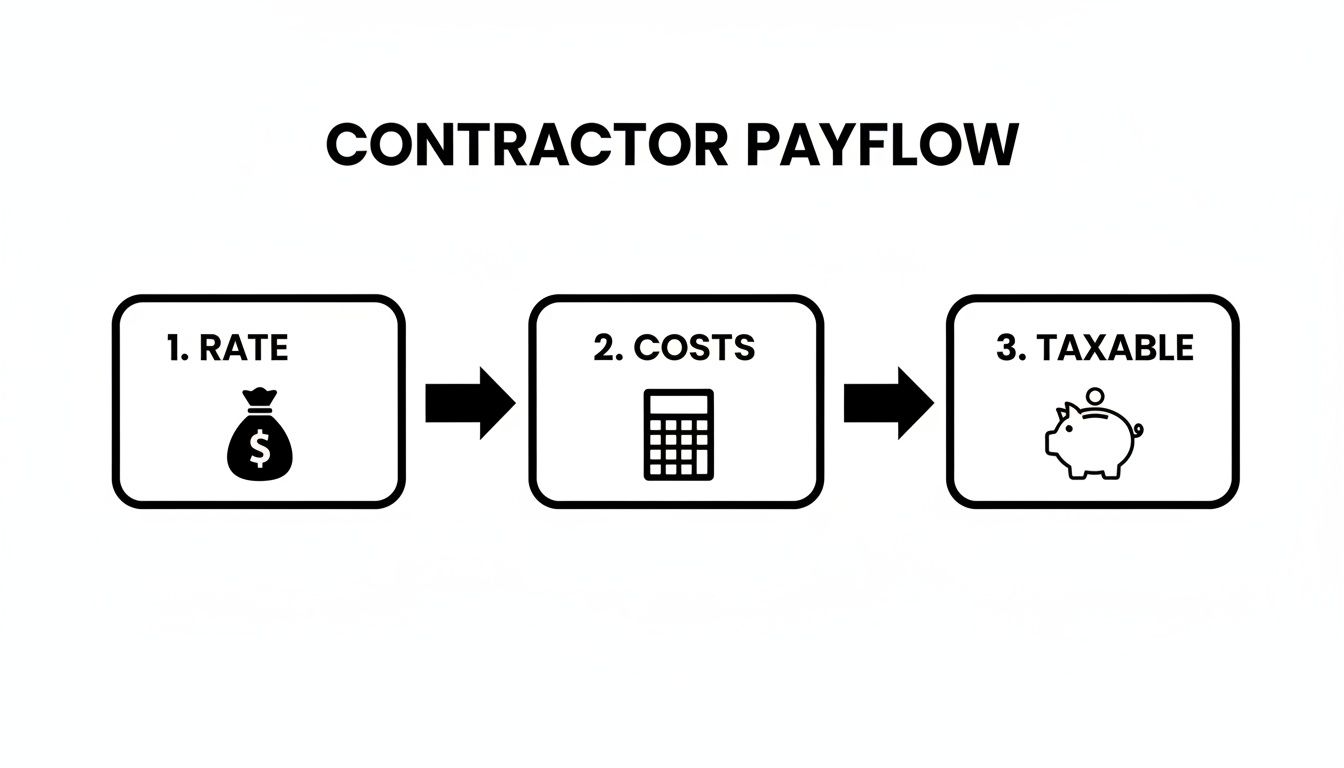
As you can see, the employment costs have to be covered first before we can even begin to look at your personal tax liability.
Your Tax-Free Personal Allowance
Just about everyone in the UK gets a Personal Allowance, which is the amount of money you can earn each year before HMRC takes a penny. For the 2024/2025 tax year, that magic number is £12,570.
What this means in practice is that the first £12,570 of your gross taxable pay is completely tax-free. It is a core part of the UK’s PAYE (Pay As You Earn) system, and your tax code (which is usually 1257L for most people) is what tells us, as your employer, that you are entitled to it. You only start paying tax on your earnings above this amount.
Applying the UK Income Tax Bands
With your Personal Allowance accounted for, the rest of your income gets taxed progressively across a few different bands. For those in England, Wales, and Northern Ireland, the rates for this tax year are:
- Basic Rate: 20% tax on income from £12,571 up to £50,270.
- Higher Rate: 40% tax on income between £50,271 and £125,140.
- Additional Rate: A hefty 45% tax on any income over £125,140.
It is worth remembering that Scotland has its own tax bands and rates, so if you live there, the figures will be different. We cover this in more detail in our guide on how PAYE is calculated.
Calculating Your National Insurance Contributions
On top of Income Tax, you will also pay Employee's National Insurance. It is a completely separate deduction that goes towards funding things like the State Pension and Jobseeker's Allowance. The amount you pay is directly linked to how much you earn.
For the 2024/2025 tax year, the main rate for employees (known as Class 1) is 8% on your earnings between the Primary Threshold (£12,570 per year) and the Upper Earnings Limit (£50,270 per year). For anything you earn above that upper limit, the rate drops to just 2%. You will not pay any NI on earnings below the £12,570 threshold.
Let us look at a real-world example. Imagine a contractor in the UK earning the median full-time salary of £37,430. After their £12,570 Personal Allowance, they are left with £24,860 of taxable income. They will pay 20% income tax and 8% Employee NI on that same £24,860, which really shows how quickly these deductions can reduce your gross pay.
For many contractors, this whole tax structure is one of the key reasons compliant umbrella companies have become so common, especially since the IR35 reforms put a much bigger spotlight on getting tax and NI right. By letting us handle these calculations, you know you are staying fully compliant while we take the administrative headache away.
The Final Deductions: Pensions, Student Loans, and Our Margin
We are on the home stretch now. After sorting out Income Tax and National Insurance, there are just a few final items to account for before we get to the figure you are really interested in: your take-home pay.
These last adjustments (pension contributions, any student loan repayments, and our administrative margin) are all calculated from your gross taxable pay, the same figure we used for your tax and NI deductions.
Workplace Pension Contributions
As an employee of UmbrellaCompany.com, we will automatically enrol you into our workplace pension scheme. This is not just our policy; it is a legal requirement for every UK employer, and it is one of the smartest ways to put money aside for your future.
A set percentage of your qualifying earnings gets deducted and placed straight into your pension pot. The real beauty of this is that your contributions are taken before tax is calculated.
What does that mean for you? It means you get tax relief on every pound you save, which in turn lowers your overall tax bill. For instance, a £100 contribution to your pension is £100 that HMRC cannot touch. It is an incredibly efficient way to save. Of course, you are always in control and can opt out if you want to, but it is well worth thinking about the long-term benefits.
Student Loan Repayments
If you have an outstanding student loan, you will see repayments automatically deducted from your pay once your earnings cross a certain threshold. The exact amount depends entirely on which student loan plan you are on, as each has its own repayment rate and earnings trigger point.
Do not worry about figuring this out yourself. HMRC tells us which plan you are on, and we handle the rest. The deduction is only calculated on the portion of your earnings above your plan's specific threshold.
Here is how the plans generally break down:
- Plan 1: You repay 9% of your income over the threshold.
- Plan 2: You repay 9% of your income over the threshold.
- Plan 4: You repay 9% of your income over the threshold.
- Postgraduate Loan: You repay 6% of your income over the threshold.
It is all managed seamlessly through the PAYE system, so you can be confident you are always paying the right amount based on what you are actually earning.
Remember, contributing to a workplace pension offers a direct tax benefit. The more you contribute, the lower your taxable income becomes, which can be an effective strategy. You can explore more options in our guide on how to reduce PAYE tax as a contractor.
The Umbrella Company Margin
The very last piece of the puzzle is our margin. This is the fee we charge for our services: running your payroll, ensuring you're fully compliant with HMRC, providing you with statutory employment rights, and handling all the background administration that you do not have to worry about.
We believe in being completely upfront about our costs. Our margin is a simple, fixed amount that is deducted each time we process your pay, so you will always know exactly what to expect. It is the only income we keep from the transaction, keeping our relationship with you clear and straightforward.
Once that is taken care of, the number that is left is your final, take-home pay.
Making Sense of Your Umbrella Company Payslip
When you start working through an umbrella company, you technically become our employee. It is a setup designed to make your life easier, especially for contracts that fall inside IR35 rules. We handle all the administration and ensure you are fully compliant with HMRC, so you can just get on with your work. The payslip we send you is the key to understanding exactly how your earnings are calculated.
At first glance, it can look a bit daunting, but every single line item is there for a reason. Let us walk through a typical payslip, starting from the assignment rate your agency pays us, right down to the final figure that hits your bank account.

Think of it as a complete, transparent statement of your earnings. We show every deduction made on your behalf so there are no surprises.
Breaking Down the Key Payslip Sections
Your payslip is structured to show the journey from the total contract value to your net pay. The top section will usually just confirm your personal details, the pay period, and your tax code. It is the core calculations below that need a closer look.
Everything starts with the assignment rate – this is the full amount we invoice your client or agency for the work you have done. From this figure, we have to deduct the mandatory employment costs, which include things like Employer’s National Insurance and the Apprenticeship Levy. Once these are covered, we arrive at your gross taxable pay.
From your gross pay, we then process the standard PAYE deductions you would see on any employee payslip:
- Income Tax: This is worked out using your tax code against the current UK tax bands.
- Employee's National Insurance: Your personal contribution towards state benefits like the NHS and state pension.
- Pension Contributions: Any payments made into your pension under the auto-enrolment scheme.
- Other Deductions: This is where you might see things like student loan repayments, if they apply to you.
What About Holiday Pay and the Umbrella Margin?
There are a couple of items on an umbrella payslip that you will not see elsewhere: holiday pay and our margin.
Because you are our employee, you are legally entitled to paid leave. That is why you will see a deduction for holiday pay. We calculate this at 12.07% of your gross taxable pay and set it aside for you. It is your money, held securely until you decide to take time off and claim it.
The very last deduction is the umbrella margin. This is simply our fee for running your payroll, making sure you are compliant with HMRC, and providing you with continuous employment rights. We always use a fixed, transparent margin, so you know exactly what it costs each time you are paid.
Let us take a contractor earning a £50,000 gross annual salary as an example. In the current tax year, their final take-home pay is determined by progressive tax bands and National Insurance. An umbrella company manages all these deductions, resulting in roughly £30,500 in their bank account. This service became crucial for many contractors after the IR35 reforms shifted tax liability, making compliant umbrella payroll essential. You can find more data on UK earnings trends from Statista.
Understanding these elements gives you full clarity on your earnings. Every deduction is clearly itemised, leaving no room for confusion and giving you peace of mind that all your obligations are being met correctly.
Using Online Calculators for Accurate Forecasts
While running the numbers yourself is a great way to get a feel for how your pay is calculated, it is not something you need to do every time. Online calculators are your best friend here, offering a fast and surprisingly precise way to determine take-home pay after taxes. These tools process all the complex variables in seconds, giving you an accurate forecast without the headache.
We have built our own tool right here at UmbrellaCompany.com, designed specifically for contractors. To get a truly accurate result, you will just need a few key pieces of information to hand.

What You Need for an Accurate Calculation
To make sure the forecast is as close as possible to what will actually land in your bank account, it is worth gathering these details before you start:
- Your Assignment Rate: Your day or hourly rate.
- Hours/Days Worked: How many hours or days you typically work each week.
- Your Tax Code: For most people, this is 1257L, but if you have been given a different one, enter that in.
- Pension Contributions: The percentage you are planning to contribute to your workplace pension.
- Student Loan Plan: If you are making repayments, you will need to select the correct plan.
Plugging these details in will generate a detailed breakdown that looks a lot like a real payslip. It is the perfect way to connect the theory we have been discussing with a tangible, real-world number.
Interpreting the Results
The results page does more than just give you a final figure. It meticulously breaks down every single deduction, from employment costs like the Employer’s NI, right through to Income Tax, your own NI, and any pension payments. That level of transparency lets you see exactly where every penny of your assignment rate is going.
You can then compare these figures directly against the concepts we have covered, turning a simple estimate into a powerful learning tool. It is perfect for comparing different contract offers or understanding how a change in your day rate impacts your final net pay.
The need for this kind of precise forecasting has only become more critical over the years. Back in 1999, an average salary of £17,803 would see you take home around 85% of it. Fast forward to today, and thanks to shifting tax bands and NI thresholds, the median salary of £37,430 yields something closer to 76% net pay. A good calculator models these complex, modern tax rules perfectly.
Using a reliable tool simply removes the guesswork. It empowers you with clear financial insight before you even sign a contract. For a detailed and personalised estimate, give our comprehensive payroll calculator for take-home pay a try.
Still Have Questions About Your Take-Home Pay?
Even after you have run the numbers, a few things can still feel a bit unclear. That is completely normal. To help clear things up, here are answers to some of the most common questions we get from contractors trying to get to grips with their payslips.
Why Does My Take-Home Pay Look Lower Than a Permanent Employee on the Same ‘Salary’?
This is probably the single most common point of confusion for new contractors, and it all comes down to the difference between an "assignment rate" and a "salary".
A contractor's assignment rate is the all-inclusive figure the client pays for your services. Crucially, this rate has to cover not just your gross pay but also all the associated employment costs, like Employer’s National Insurance and the Apprenticeship Levy. A permanent employee’s salary, on the other hand, does not include these costs; their employer pays all of that on top of the salary figure.
So, a £50,000 contractor rate is not the same as a £50,000 permanent salary. For the take-home pay to be comparable, the contractor's rate needs to be significantly higher to cover those mandatory costs first.
What Is This Holiday Pay on My Payslip and How Do I Get It?
Because you are an employee of the umbrella company, you are entitled to statutory paid holiday leave just like any other employee. This is calculated as 12.07% of your gross taxable income.
Most compliant umbrella companies, including us, handle this by accruing the funds for you. Think of it as us setting your holiday pay aside into a separate pot every time you get paid.
This money is yours, plain and simple, and you should always have full access to it. When you decide to take time off, you just need to request it to be paid out. We make sure this is completely transparent, so you will see the pot building up on every single payslip.
How Can I Double-Check the Tax Deductions on My Payslip?
If you want to be sure everything is being deducted correctly, the best way is to use an official tool. HMRC has its own PAYE tax calculator, or you can use a trusted online calculator like the one on our website.
Here is how to check your figures:
- Find your gross taxable pay on your payslip (this is the figure after employment costs have been deducted, but before your personal tax and NI).
- Use your correct tax code, which for most people is 1257L.
- Enter any other details that apply, like pension contributions.
The Income Tax and Employee NI figures the calculator gives you should match what is on your payslip almost perfectly. You might see tiny differences of a few pence due to rounding, but if there is a significant gap, you should flag it with your umbrella company straight away.
At UmbrellaCompany.com, we provide the tools and guidance you need to compare compliant umbrella companies and understand your earnings with complete clarity. Start your comparison today.


